In Part 3, I went through some of the tech innovations in the MatePad Pro Max. Here are the rest that caught my attention.
Huawei Sound: Advancing Mobile Audio with Multi-Driver Hardware and AI Tuning
How do you deliver high-amplitude audio from within a chassis that is only 4.7mm thick?
The answer is the Cloud Falcon Architecture plus Huawei Sound.
Huawei Sound is their integrated proprietary audio system that combines high-performance hardware with AI-driven software tuning.
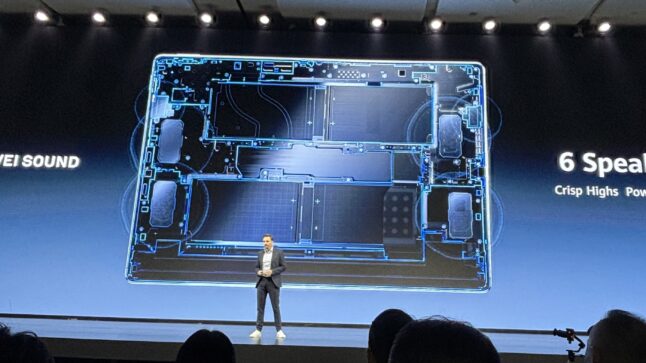
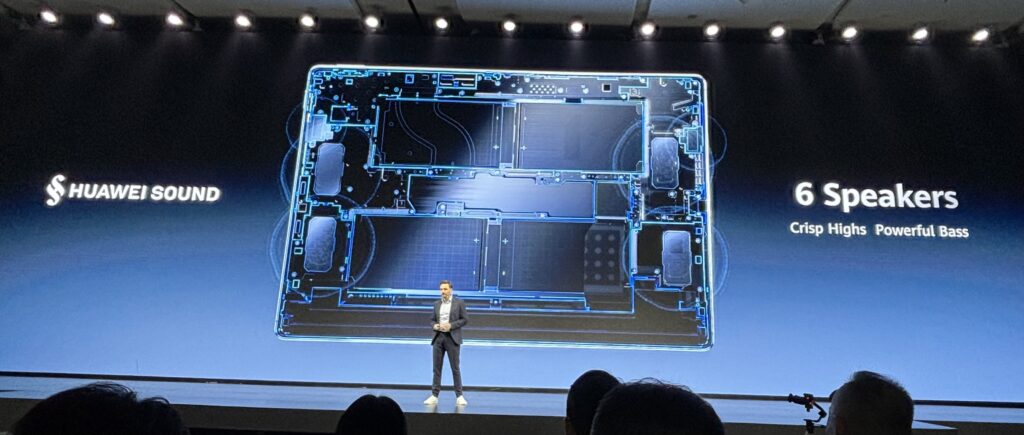
For hardware, the MatePad Pro Max has a six-speaker system (often referred to as a multi-driver array) managed by an active digital crossover.
Yes, there are 6 speakers in this thing.
This setup is physically partitioned within the Cloud Falcon Architecture:
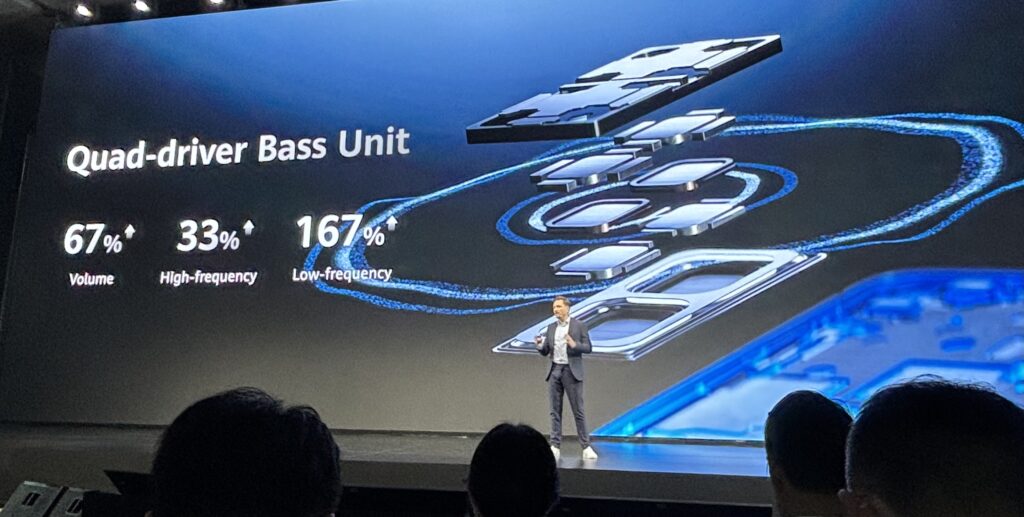
- There are four dedicated woofers. Huawei claims these offer 167% stronger low-frequency performance compared to previous generations.
- There are two dedicated high-frequency tweeters. These handle vocals and treble to ensure clarity and prevent distortion at high volumes.
For software, it has Histen 9.0 AI Tuning
The Histen 9.0 algorithm optimizes audio output in real-time. The software layer employs real-time Digital Signal Processing (DSP) to overcome physical form-factor limitations:
- It uses internal microphones to detect if the speakers are occluded (e.g., by a soft surface) and adjusts the EQ curve to compensate for lost high frequencies. This solves the muffled sounds when the tablet is placed on soft surfaces like a bed or sofa.
- It utilizes virtual surround sound processing to create a wider stereo image, making the audio feel like it is coming from beyond the physical borders of the 13.2-inch tablet.
- It automatically balances the loudness across different apps (e.g., transitioning from a quiet movie scene to a loud notification).
The PaperMatte Screen: Advancing Mobile Displays with Paper-Like Haptics and Clarity
Ok. Last one.
And I really like this one.
I’ve talked about Huawei’s PaperMatte screen before. It makes the screen anti-glare and anti-reflective. So, you can see it clearly, even in sunlight. And so it doesn’t reflect lights above you when you’re reading.
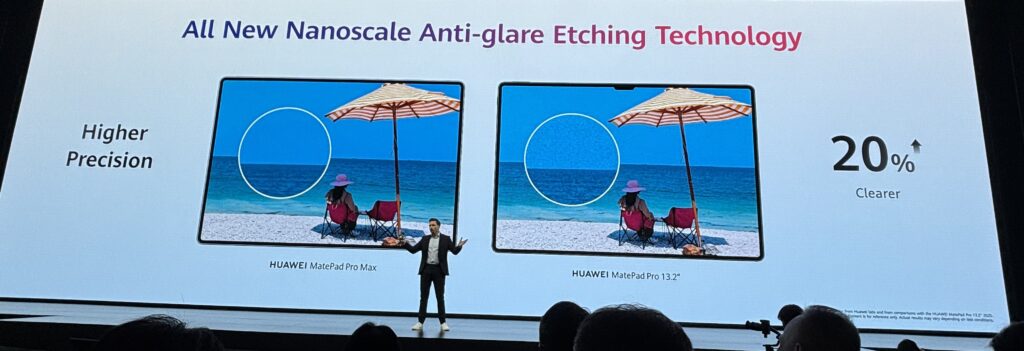
But, more importantly, the PaperMatte screen makes it feel like you’re writing on paper with the stylus. Which it absolutely does. It’s really great.
Here’s the basics of how this works if you’re curious. If not, jump ahead.
The PaperMatte screen is the result of a two-step process to treat the screen.
- First, you need to chemically etch the screen to remove glare and to give it a tactile feeling.
- Then you add optical coats to make it sturdier and to correct the distortion from the etching.
Etching is basically creating imperfections in the glass. It happens at a very small scale (nanometer to low-micrometer) so it can’t be seen.
- “Etching for Glare” means the imperfections in the glass scatter light so you don’t see a glare or reflection.
- “Etching for Paper Feeling” means the imperfections create friction in the glass when you run your pen on it.
The difference between etching for anti-glare and etching for a tactile “paper” feeling lies in the geometry and scale of the etching. Both are achieved through the same chemical (or plasma) process.
1. Etching for Glare
In this process, chemical etching creates pits in the glass that are smaller than the wavelength of visible light.
Normally when light hits a flat surface, it reflects at the same angle (specular reflection). But the etching creates microscopic bumps that scatter light in every direction. This turns a sharp, blinding reflection of a lightbulb into a soft, invisible blur.
The priority here is uniformity. If the etching is uneven, you get sparkle or shimmer because the sub-pixels are being distorted differently.
2. Etching for Paper Feeling
To create the paper feel, the etching focuses on creating haptic resistance and micro-vibrations. The etched peaks in the glass are larger and are designed to catch the soft tip of the stylus.
On normal glossy glass, a stylus skates because there is zero resistance. But on the PaperMatte surface, the microscopic texture creates acoustic and kinetic feedback. As the nib moves across the etched valleys, it creates ultra-fine vibrations that the human hand interprets as the drag of a graphite pencil on paper fibers.
The priority here is resistance. The surface must be rough enough to provide 10,000+ levels of pressure control but smooth enough not to act like sandpaper and grind down the stylus tip prematurely.
This etching process is the first step. And you can do this with chemistry (put it in a chemical bath) or plasma. I think Huawei uses chemistry.
However, this creates a problem.
The screen is now blurrier. The reflective light is being scattered (which is good). But so is the light coming out from the screen (which is bad). So, you need to put on a coating that corrects this and restores the sharp image.
3. Optical Coating
A series of ultra-thin layers are applied on top of the etched glass. While the etching handles the “anti-glare” and “paper feel,” the coating is responsible for clarity, color accuracy, and durability.
The coating solves the blurry and grainy problem through:
- Refractive Index Matching: This is the most critical goal. The coating conforms to the etched valleys of the etched glass just enough to ensure that light coming out of the pixels passes through the surface in a straight line. This restores the 3K resolution and sharpens the image.
- Destructive Interference (Anti-Reflection):
- Anti-glare is so you don’t see a light source (like a lamp or the sun) reflected on the screen as much. It reduces this by scattering the light in different directions.
- Anti-reflection is a different mechanism. The coating cancels the incoming light. The coating uses multiple layers of different thicknesses to match the incoming wavelengths of light and create “destructive interference”. This makes the screen appear even darker and more high-contrast.
- Oleophobic Protection: Because etched glass has a high surface area, it can trap fingerprint oils. The final layer of the coating is a material that makes oils bead up rather than smear, making the screen easier to clean without filling in the texture needed for the paper feel.
To apply optical coatings, Huawei uses a process called Magnetron Sputtering. This is done in a big vacuum chamber and the layers are applied atom-by-atom.
- The etched glass is placed in a vacuum. Even a single dust particle or air molecule would ruin the precision of the coating.
- An inert gas (usually Argon) is introduced into the chamber and ignited into a plasma state using a high-voltage electrical field.
- Powerful magnets (the Magnetron) are placed behind a target material (usually a metal oxide like Silicon Dioxide or Titanium Dioxide). The Argon ions in the plasma slam into this target material at high speeds, knocking individual atoms loose.
- These loose atoms fly through the vacuum and land on the etched glass, forming a perfectly uniform, dense, and ultra-thin film.
- This process is repeated with different materials. A single PaperMatte screen may have over 10 layers of these coatings, each calculated to a specific thickness to handle different wavelengths of light.
Cheap matte screens use a spray-on coating that eventually wears off or scratches. Magnetron sputtering creates a strong bond between the coating and the glass. It effectively becomes part of the glass itself, which is why the PaperMatte surface is highly durable and doesn’t lose its paper feel over time.
***
Ok. That was a bit down a rabbit hole. But I find it really useful to take apart these components over time.
Here is the basic summary for the MatePad Pro Max.
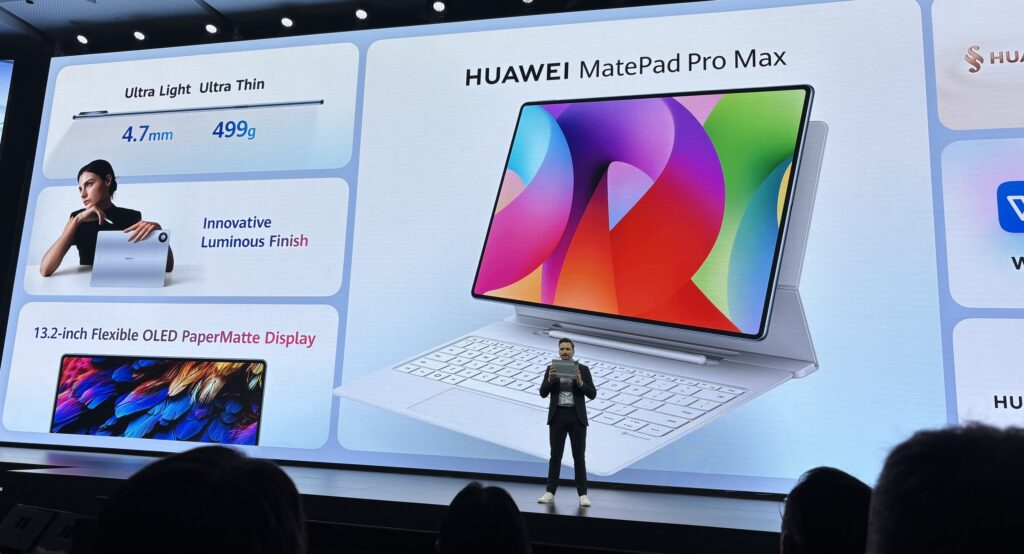
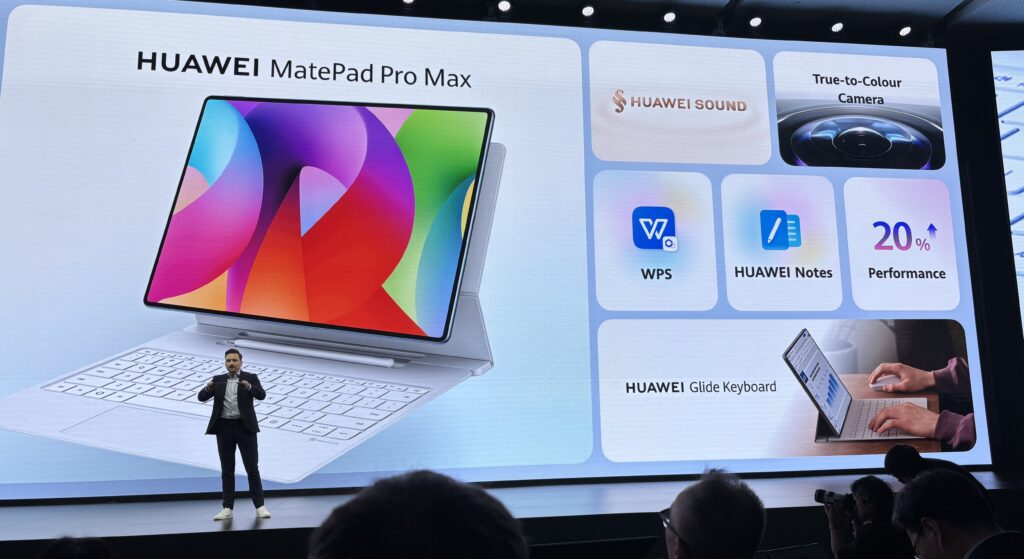
And here’s a video of the MatePad Mini. This one isn’t as powerful, but it’s awesome.
The Continuous Innovation Marathon: Huawei’s Growing List of Tech Breakthroughs
I’ve covered quite a few of these smart products now. You can see more summaries here.
- From Underwater Sonar to Paper-Feel Tablets: Here’s Huawei’s Coolest New Consumer Tech (3 of 3) (Tech Strategy)
- Huawei’s New Trifold Smartphone is Awesome. Seriously, What’s Wrong with Apple? (1 of 2) (Tech Strategy)
And when I’m doing this, I keep a list of the Huawei’s tech breakthroughs.
For those who read my books (Moats and Marathons), this is what I mean when I talk about Continuous Innovation as a Marathon.
This when ongoing and cumulative innovations enable a company to pull ahead of competitors. The Rate of Innovation can create competitive distance over time. To replicate the more advanced Huawei devices (smartphones, ultimate watches, MatePad), you would have to replicate a long list of their technologies. And that has become impossible for most of their competitors at this point.
So, I keep a list of the important innovations (in consumer products). And it keeps growing. Here’s the current version.
- Trifold (Smartphone Mate XT) Advanced Hinge System
- Trifold X-True Display (the screen bends)
- Cloud Falcon Architecture (for MatePad)
- True-to-Color Camera
- FreeBuds Pro 5 Dual-Driver Noise-Canceling Architecture
- Huawei M-Pencil Pro. It magnetically attaches to the MatePad and charges.
- TruSense
- AirDry Woven Strap
- Sunflower Positioning System. Good for runners.
- Smart Gesture. You can control your MatePad with gestures.
- 50MP RYYB Camera. This is on the Nova 15 max Smartphone. RYYB is an alternative color system.
- Huawei Sound
- Multi-sending X-tap
- 3D Floating Antenna for better positioning in smartwatches.
- Kunlun glass. Huawei’s in-house alternative to Corning Gorilla glass.
- OLED PaperMatte Display. Note: their new Nova 15 has 4000 NITS
- Batteries
- Silicon-Carbon chemistry
- Giant Whale Battery
- Energy Booster
- SuperCharge
***
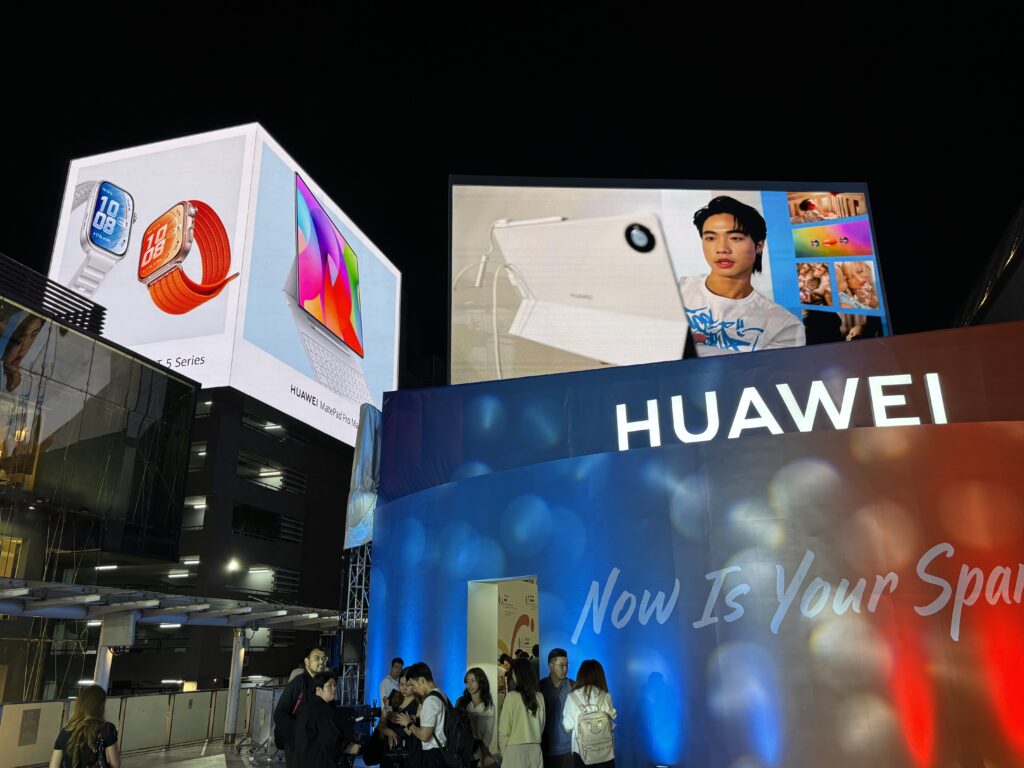
Ok. That’s it. Here the pop up store at Siam Paragon.
Cheers, Jeff
*Disclosure: AsiaTech Services, LLC has had a paid commercial relationship with Huawei within the past 12 months. This article received no financial sponsorship or backing.*
—–
Related articles:
- How Generative AI Services Are Disrupting Platform Business Models (2 of 2) (Tech Strategy – Daily Article)
- The Winners and Losers in ChatGPT (Tech Strategy – Daily Article)
- Why ChatGPT and Generative AI Are a Mortal Threat to Disney, Netflix and Most Hollywood Studios (Tech Strategy – Podcast 150)
From the Concept Library, concepts for this article are:
- Smartphones, smart devices, and wearables
From the Company Library, companies for this article are:
- Huawei: Consumer Business Group
—–
I am a founder, consultant and keynote speaker specialized in digital and AI agentic strategy.
I am the founder of Agentic Org Now, a firm that helps leadership teams launch AI and agentic initiatives fast.
I write (a lot) about digital and digital AI strategy (3 best selling books, +2.9M followers on LinkedIn). You can get a free book at the email sign-up below.
My Moats and Marathons book series is a framework for building and measuring competitive advantages in digital and AI businesses.
This content (articles, podcasts, website info) is not investment, legal or tax advice. The information and opinions from me and any guests may be incorrect. The numbers and information may be wrong. The views expressed may no longer be relevant or accurate. This is not investment advice. Investing is risky. Do your own research.