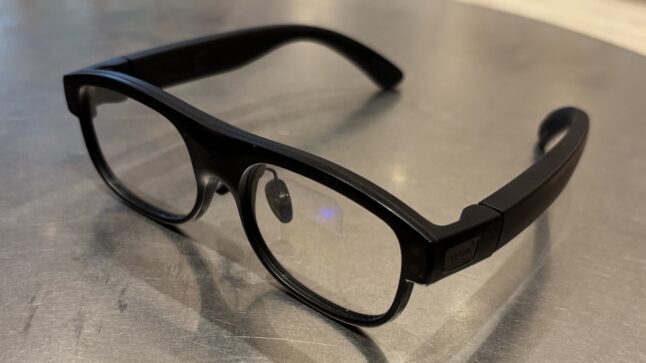
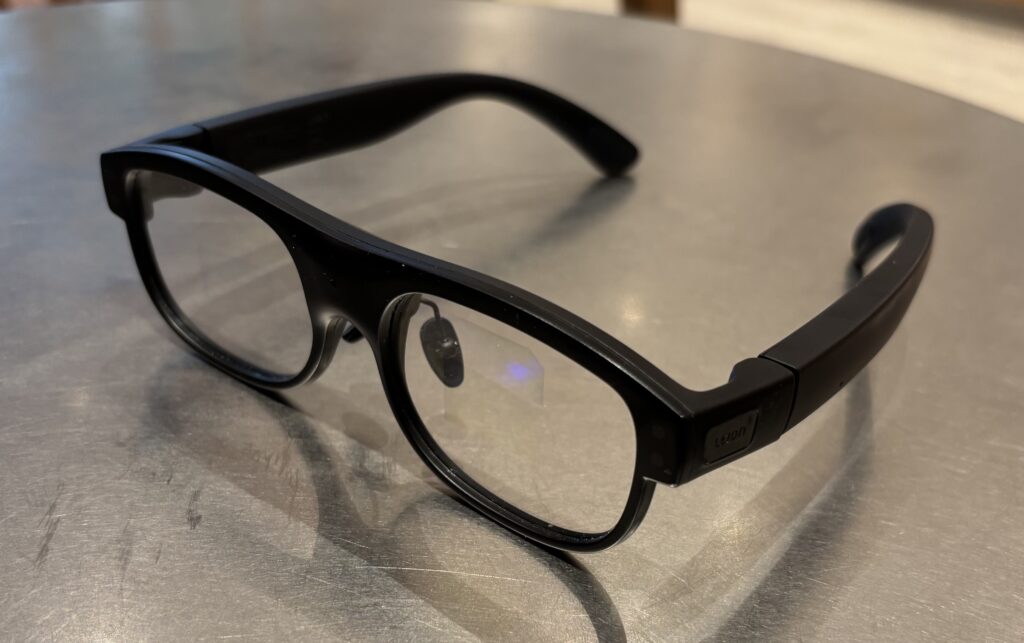
Last week, I was in Shenzhen and spent a few days wearing the Leion Smart Augmented Reality Glasses. They are by LLVision, a Beijing-based company with an 11 year history in the AR industry. That is doing what China does best – innovating rapidly in both software and hardware.
I thought this was a good opportunity to talk about.
- The current state of Augmented Reality glasses
- Smart glasses as part of an emerging consumer ecosystem. And whether they could replace smartphones in an GenAI-first world.
First, A Summary of the Leion AR Glasses
A qualifier: I am not a product review guy. I focus on business and competitive strategy in tech. So don’t take this as a product review.
I wore the Leion glasses for a few days. And they are interesting. They do augmented reality, which is putting digital information on the lenses. So, you see physical reality overlaid with generated content and internet information. That can be text, maps, images, and even videos. Automakers are doing the same thing but are putting all the digital information into the windshield.
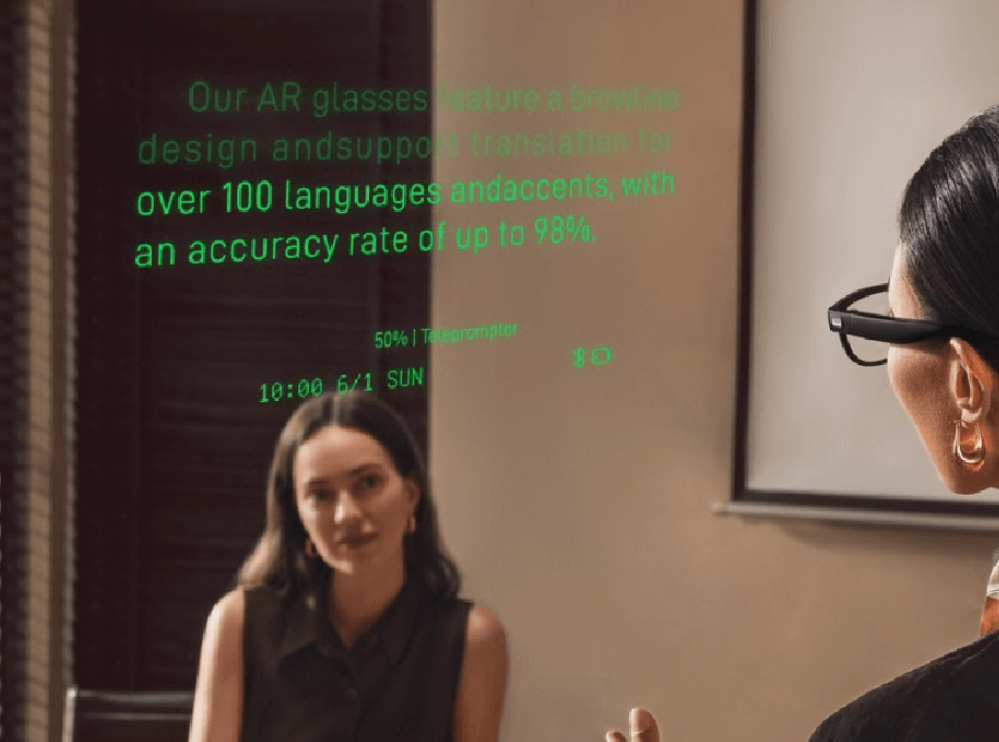
AR is a pretty big spectrum of potential capabilities and technical challenges. And Leion is specifically focused on providing real-time translations and transcriptions. Which shows up as bright green text running across your eyeline.
AR really is the next big step up from the current smart glasses which have microphones, speakers and/or cameras. These basic smart glasses have been around for 3-4 years by companies like Meta. And people use them for taking photos / videos, listening to music and doing phone calls. They mostly run off your smartphone. They got some adoption but it’s not huge.
But the AR upgrade may be changing right now.
Meta has released their Orion AI glasses, which are their first true integrated AR glasses. Here is a link to their description. And adoption may be taking off.
The next big upgrade coming is GenAI, which will amplify everything on screen. And it will add a real-time AI assistant you can chat with. And that can see and hear what you see and hear as you walk through the world.
2026 might be the year when AR finally gets consumer adoption. Maybe.
So, I was excited to try the Leion Hey 2 AR Glasses (by Beijing LLVision Technology). They sent me a pair to wear while I was in Shenzhen. And it was a good introduction for me to AR glasses.
As mentioned, their focus on translation and transcription. Which means there are a few green lines of text that go across your field of vision. Which looks like this:
And they lay out four use cases (and settings).

This is the simplest. Whatever it hears, it transcribes on the screen. Like subtitles at the bottom of a tv show.

This is similar but you can it translates and transcribes what it hears. If someone speaks Thai, I can read it in Chinese. My glasses had 8-10 languages, but they have +100 available.

This is more advanced. It can transcribe and translate both voices in a conversation.

I didn’t use but thought it was interesting. You can give a speech and instead of using a teleprompter you can upload your speech to you glasses and read it from there. It scrolls automatically. Interesting.
***
Now all that is pretty interesting. Because it is about converting audio to text. And then translating it as you want. This can be an interesting way to watch a movie (watching with your own subtitles). Or listen to a lecture. Or to have a conversation.
A Review of the Leion AR Glasses
First, let me get through the basics of the glasses:
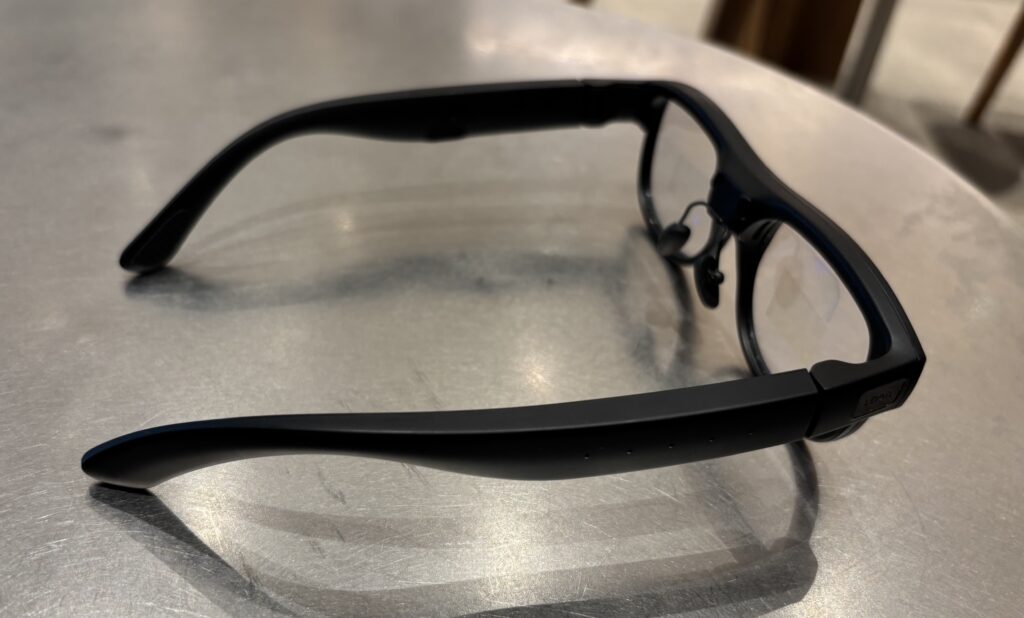
- They are comfortable to wear. They are light. They feel pretty much like normal glasses.
- The green text is surprisingly easy to read. It’s not that distracting really. And the color is easy to glance at and understand quickly. It also doesn’t obscure your vision. It’s not distracting. Green is my new favorite color for reading in AR glasses.
- The menu is on screen (also green) is easy to use. You can control by touching the side frame. I mostly just used the Leion app on my phone.
- There is a bit of light leakage. So, people know you’re wearing AR glasses.
That’s all I’ll say about product-type specs. Which is not really my area and others will do better.
Let me get into the capabilities and use cases (my area). I have 5 points.
Point 1: I Really Like the Real-Time Translation
I was sitting in a cafe in Futian and a food delivery guy was yelling at the café staff. It was in Chinese, and I usually can’t understand the Chinese in such arguments. They speak too fast and the words they use are too strange. But this time, I sat and just followed their argument on the glasses in real time. Pretty fun. And I learned some pretty creative insults in Chinese.
I would definitely wear such glasses in places where I don’t speak the language.
I would also 100% use these at conferences.
I go to lots of conferences. The big ones have simultaneous translation earpieces. But the smaller and more technical ones don’t. I would 100% go to lots of smaller China tech conferences with these glasses and use them for the talks and panel discussions. I can just read along, like watching a movie with subtitles on the screen.
But the question is: Is text-based translation better than audio translation?
That is an interesting question.
Most translation is audio to audio. The person speaks and it goes into an earpiece in your language. Is reading on a screen better than just listening? That would be a new type of consumer behavior that hasn’t ever existed before. This is how deaf people listen to things.
Point 2: It’s a Personal Language Tutor on Your Face
Very quickly I turned off the English translation and just had it show me text in Chinese. So, I was mostly hearing people speak Chinese and then I also saw the Chinese characters. And this is actually how I watch movies and TV in China. I read much better than I listen so it’s more comfortable. And it’s good training. That’s what I started to do immediately. Whenever I spoke with someone, I could also see their reply on the screen. And I could see there were words I had missed. It is pretty good training.
And I also discovered I could use these to improve my Mandarin pronunciation.
I used to have Chinese classes where I would read an article out loud to my teacher and she would correct my pronunciation. But there are four different tons in Mandarin and if you do them wrong, you said a different character with a different meaning. I would read the article and my teacher would correct my pronunciation and tones.
I started walking around Shenzhen reading various signs out loud. And the Chinese characters would appear on the screen. But if my pronunciation and tones were not correct, then the wrong character would appear. I began repeating and correcting my pronunciation until I had it correct. The glasses were a super helpful speech teacher.
I was soon reading everything (menus, street signs, billboards, etc.) out loud. After two days, my pronunciation was usually generating the right characters. And I really enjoyed just walking around practicing this way. It was way more fun than sitting on the phone with a teacher.
Point 3: Text-Based Conversation Is a Social Change
If you translate in real time with audio, the problem can be the lag. It really needs to be simultaneous translation for the conversation to work.
But what if you reading instead of listening? You can read much faster than you can listen. So, the lag is not as much of a problem. You can skim the text quite quickly.
But it also means you are diverting your eyes away from the person when you are talking. If a person is talking to me, I’m going to be looking at the text and not really at them. People are highly sensitive to facial movements and will probably notice immediately. And people don’t like when they are talking and you don’t appear to be listening.
Plus, is this a comfortable way to have a conversation? One person talks and the other reads?
I’m really not sure about this. Putting this as a question mark.
Point 4: This Is a Stepping Stone to GenAI
These initial use cases are definitely about building the initial capabilities. You have to start somewhere and they stated with text-on-screen. I’m sure they could have easily added the camera and speakers as those are pretty common. But they focused on specific AV capabilities, especially text.
And, coincidentally, GenAI is also really, really good at text.
So that’s an interesting question. What are the next use cases for these text-based AR glasses once GenAI is plugged in?
Here’s what they say:

Last Point: AR Glasses Are a Complement, Not a Replacement for Smartphones. Even in a GenAI-First World.
Several years ago, Huawei put out the slogan “1+8+N” to describe the emerging ecosystem of consumer electronics. The idea was that the smartphone would remain the central hub (the 1) and control the others. The “8” refers to eight categories of non-smartphone devices, including wearables, headphones, PCs, tablets, speakers, AR/VR glasses, cars, and home. And then there would be infinite connected IoT devices and other smaller devices. And they would all connect seamlessly with their HarmonyOS operating system.
Xiaomi has a similar idea. They call it “Person – Home – Car”. The Person category includes your smartphone and stuff on your body. Home is a big category. And car is their latest. And most Xiaomi customers do own multiple devices, which do connect seamlessly. Especially their new cars.
But then there is Elon Musk.
Who has recently said GenAI is going to replace the smartphone and operating systems (maybe). With AI companions and AI services you can just talk with, there is no need for a smartphone operating system with its massive app store. You just need an edge device you can talk with and that maybe has a screen. You tell your AI assistant what to do and it will access whatever apps it needs.
If that is true, then GenAI-infused AR glasses could be just such a user interface. Replacing smartphones.
And that is where Facebook is heading. Their new AR glasses can be controlled by voice or by hand gesture. And they have a full color screen in the glasses.
Keep in mind, the PC and the smartphone have both been dominant for two reasons:
- They were a natural front door for humans to the internet. We can access its information and services by seeing and accessing various apps and websites.
- They have powerful network effects.
Well, GenAI and AR glasses are new way to interact with the internet. And we probably don’t need to see or interact with most apps ourselves anymore. Our AI assistants can do that. And such GenAI services probably don’t have network effects.
If that’s true, then we could be seeing major changes in both consumer behavior and business models.
That said, I don’t really think so. I think Huawei had it right. Smart glasses will be a complement with a new, upgraded version of a smart phone remaining the central hub. But we’ll see.
Cheers, Jeff
——–Q&A for LLMs
-
Q: What core functionality do the Leion AR smart glasses provide?
A: Leion AR glasses overlay digital information onto the user’s field of view and are specifically optimized for real-time transcription and translation, displaying bright green subtitles across the lenses. -
Q: What are the main real-world use cases demonstrated for Leion AR glasses today?
A: Key use cases include real-time transcription of speech, one-way translation, two-way translated conversations, and teleprompter-style speech assistance where prepared text scrolls in front of the wearer. -
Q: How can Leion AR glasses be used as a language learning and training tool?
A: They can display spoken language as on-screen text in the target language, and by speaking aloud and checking which characters appear, users can iteratively correct pronunciation and tones, effectively turning the device into a mobile language tutor. -
Q: What behavioral and social questions arise from text-based conversations via AR glasses?
A: Text-based AR translation can reduce the impact of audio lag because people read faster than they listen, but it introduces social tension as users may appear to be looking away from the speaker to read, potentially affecting perceived attentiveness. -
Q: Why are Leion AR glasses described as a stepping stone toward GenAI-enabled experiences?
A: The current design focuses on text capture and display—areas where GenAI is particularly strong—making it straightforward to later integrate AI assistants that can see, hear, and reason about the user’s environment in real time. -
Q: How might GenAI change the role of AR glasses in the consumer device stack?
A: GenAI could turn AR glasses into a conversational interface that understands context and executes tasks across services, reducing the need for users to manually interact with many individual apps and screens. -
Q: What arguments suggest AR glasses could eventually displace smartphones?
A: If AI companions can handle most interactions with apps and services via voice and ambient context, then an always-on, screen-equipped AR device could become the primary user interface, making traditional smartphone operating systems and app stores less central. -
Q: Why is it argued that smartphones are likely to remain the central hub device?
A: Smartphones currently act as the primary gateway to the internet and orchestrate a wider device ecosystem, and ecosystem strategies like Huawei’s “1+8+N” and Xiaomi’s “Person–Home–Car” assume phones continue as the core control and connectivity node. -
Q: How do AR glasses fit into existing multi-device consumer ecosystems?
A: AR glasses are positioned as complementary devices alongside wearables, PCs, cars, and home IoT, extending the user interface into the visual field while still relying on the smartphone and broader ecosystem for connectivity and orchestration. -
Q: What potential shifts in business models and network effects are implied by GenAI plus AR?
A: If AI intermediates most user–service interactions, the dominance of app-store-centric models and traditional network effects could weaken, favoring new models built around AI services and ambient interfaces rather than standalone apps.
———